
Your fleet is the heart of Fleetola. Adding a vehicle takes about a minute, and everything else - contracts, payments, the renter app - hangs off it.
Add a vehicle
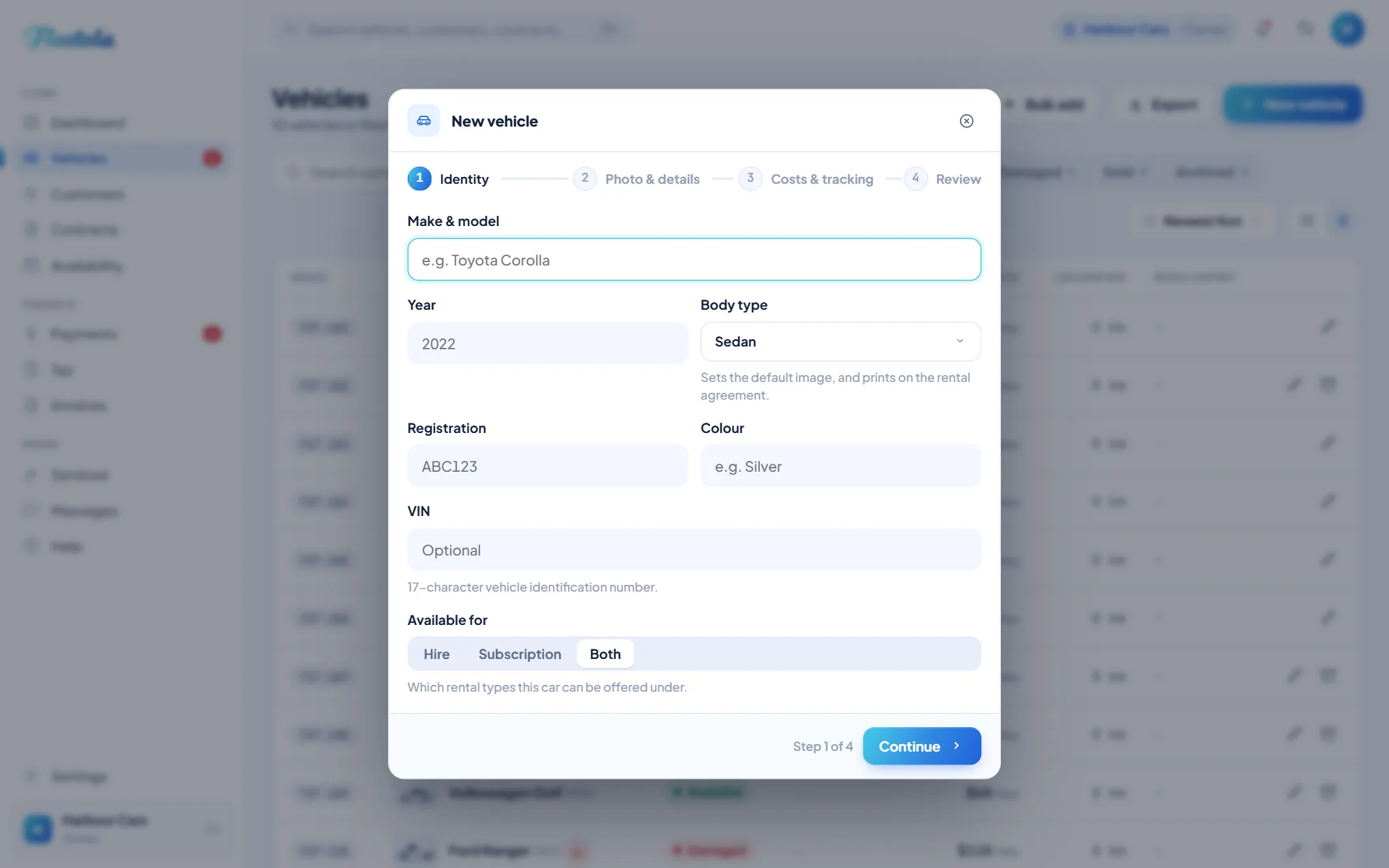
- From the sidebar, open Vehicles and click New vehicle.
- Enter the make, model, year and rego, and pick the body type. The body type chooses the generic image and prints on the rental agreement.
- Say what the car is available for - hire, subscription, or both.
- Add a photo, or skip it and we'll use a generic image for that body type.
- Fill in the rates you quote - daily, weekly, hourly - and a bond. Fill in whichever you use; every contract can still be priced its own way.
- A car with no rate cannot be priced on your booking page, so fill in at least the one you quote online.
- Click Add vehicle. It shows as Available in your fleet.
Tip: Set the rego expiry and the next service while you are there - Fleetola reminds you before either falls due.
Initial condition photos become that car's Purchase set: kept for its life, what a later damage claim gets compared against, and replaceable only by the business owner.
Putting a whole fleet in at once? Import CSV on the same page imports the lot from one CSV.
Import from a CSV
- Open Vehicles and click Import CSV.
- Click Template and overtype its example rows, one per vehicle. Its columns: Rego, Make, Model, Year, Body type, Seats, Fuel, Transmission, VIN, Colour, Daily rate, Weekly rate, Odometer km, Rego expiry, Purchase cost.
- Click Choose CSV and pick the filled file. Nothing is saved yet; a row that cannot go in is listed with its line and reason, and left out.
- Click Import 3 vehicles - it counts your rows. The cars land as Available, for hire and subscription.
Only Rego, Make and Model are required. Blank seats, fuel or transmission stay blank, never guessed - fill them in later, as they print on the rental agreement. The rates become the car's defaults; photos, hourly rate and bond are not imported.
An import that would pass your plan's vehicle limit is refused whole: nothing is added. Upgrade your plan to add more.
Save as draft and Active in fleet
Save as draft, beside Add vehicle on the review step, holds a half-entered car as a Draft - closing the form part-way offers the same once the car has a make and rego. Pick it up again from the Draft tab.
The Active in fleet switch is on by default. Switch it off and the car is added as a Draft, off your booking page. How a Draft goes back to work, and every other status a car can hold, is What each vehicle status means.
Export your fleet
Export, next to Import CSV, goes the other way: one click downloads a CSV of your fleet - one row per vehicle with its status, costs, rego expiry and tracker details. It exports the list you are looking at, so keep All selected to get every car.