
A mistake on a signed contract is not permanent, and fixing one never quietly rewrites what was signed. There are three paths, and which one you use depends on what is wrong: a term, a form answer, or something the renter attested to.
Change the terms
- Open the contract and click the Edit pencil at the top of the drawer.
- Change what needs it: the rate, cover, bond, secondary driver, start date and time, starting kilometres, damage excess or minimum rental.
- Billing frequency and the payment day are on the same form. They change the payment schedule itself, so a day change asks which way to move the schedule before anything reflows.
- Save. The changes apply from now on.
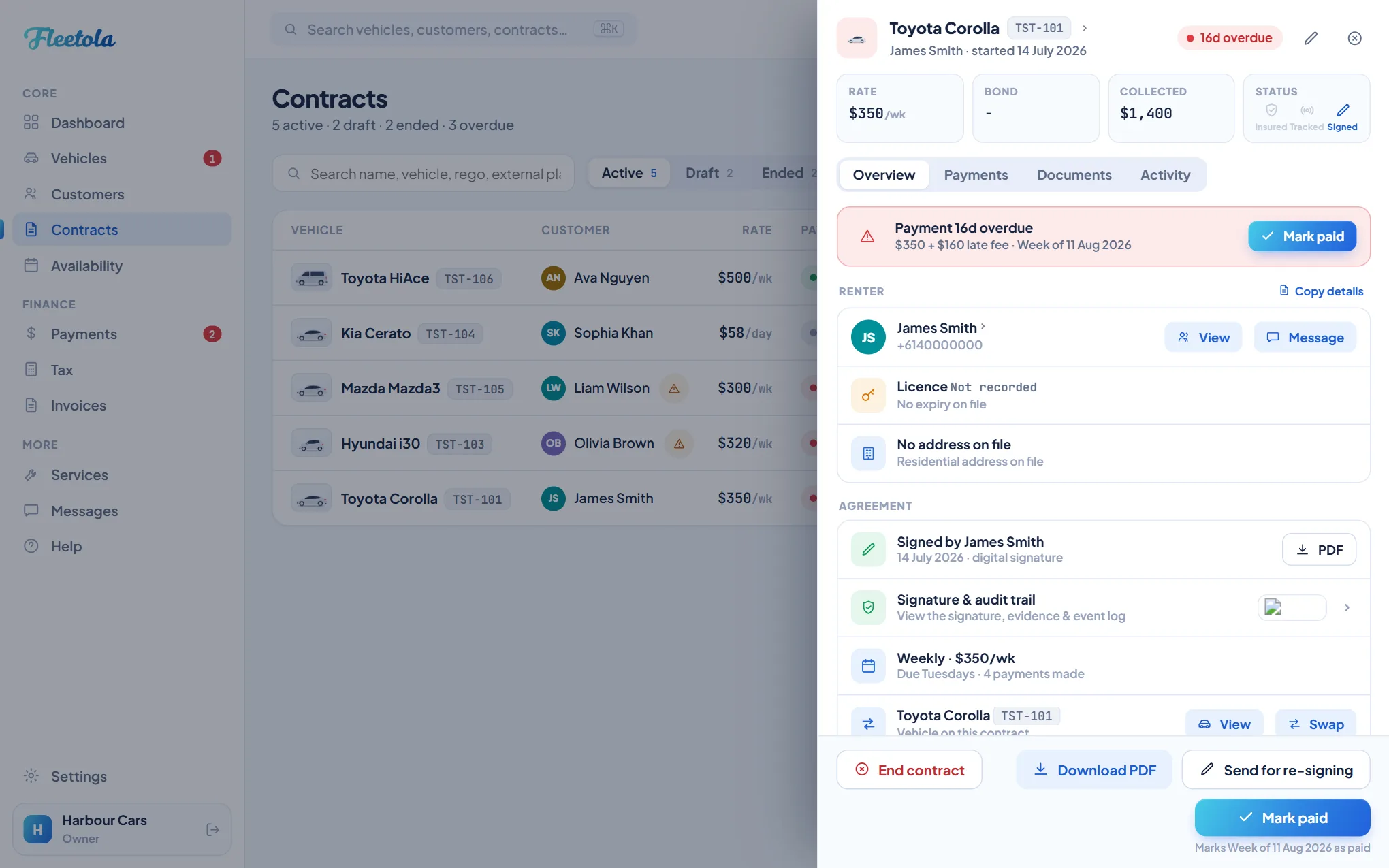
Editing never changes what the renter signed. The signed PDF is stored at the moment of signing and served back byte for byte, and every edit to a signed contract's money terms or dates is recorded in the audit trail - what changed, who and when. Your terms and conditions are frozen at signing too - see Your rental terms.
Correct a signing-form answer
- Open the contract's Documents tab and click the document.
- Retype the wrong answer. Anything marked Locked cannot be corrected here - the badge says why.
- Add your reason. It is kept on the correction record.
- Click Save & email. The renter is emailed the moment you save - the message names each field, the value it held and the value you replaced it with, and points at the corrected copy in their portal. A renter with no email on file is not told, and the screen says so.
A correction takes effect straight away - no draft, no approval step, no undo. Each one produces a new version of the document's PDF and keeps every earlier version, so a copy you have already handed to an insurer can still be downloaded exactly as it was. The history under the document lists every correction: who, when, the old and new value, and your reason.
Answers that can never be amended
The attestations the renter ticked and the declarations printed above their signature are the legal substance of the document. Changing one is not a correction - it is a different document, and a different document needs a fresh signature.
Void and re-sign
Send for re-signing, at the foot of the contract drawer, does that in one action: the signature is cleared, every answer the renter typed is kept, and a fresh signing link goes out. They fix the one thing and sign again - nobody retypes sixty fields. The voided signature is written to the audit trail before it is cleared, so the record shows what stood and who cleared it.
Tip: Re-signing voids the signature the moment you confirm it, and until the renter signs again you hold no signed agreement. Use it only for what genuinely needs a fresh signature.
If a payment-day change is blocked
Moving the payment day while a payment is overdue would push that debt out of view, so Fleetola refuses until it is settled. The blocking payment is shown right there, late fee included, with two ways out - Mark as paid or Write it off - and either way the schedule change carries on straight after. Nothing is buried.