
Contracts are signed on a phone. You write the contract, Fleetola makes a one-time signing link, the renter reads the agreement and signs - no paperwork.
Write it
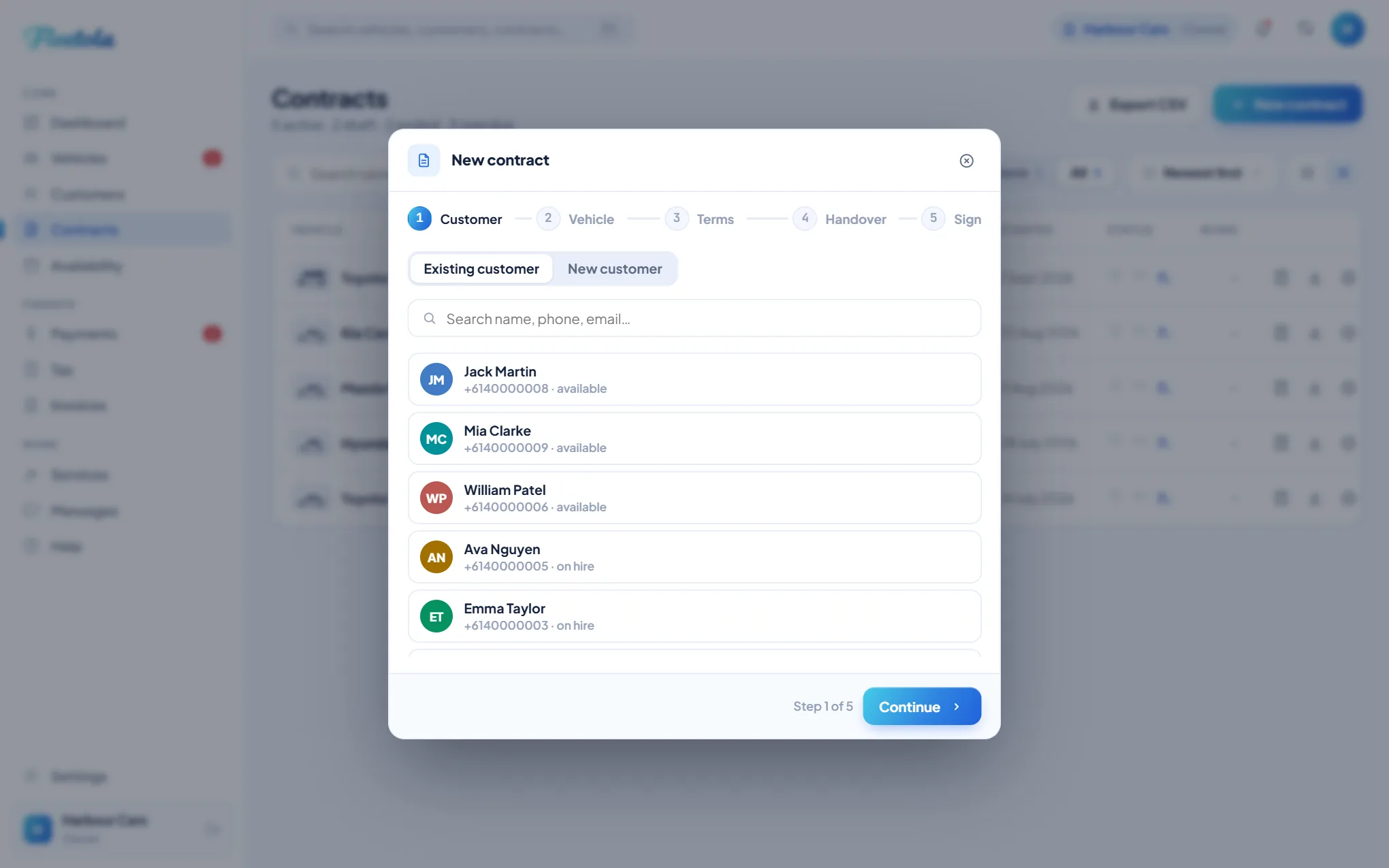
- Open Contracts and click New contract. Pick an existing customer, or start a new one - it needs their name, email, and licence number and expiry.
- Choose the vehicle.
- Set the terms: the rate, a fixed return date or open-ended, the bond, the kilometre allowance, and any charges this renter is taking.
- Record the handover - photos, the damage outline, the odometer. All of it can be added later from the contract.
- Finish on Sign.
Send sign link emails the renter - it needs an email address on their record, so with none the choice is to add one or sign in person. Sign in person now hands them your device and does the whole thing where you stand, no email needed. Save draft holds the car while you come back to it.
Signed in person, the first payment if it is paid in advance - week one, or a one-payment hire's total - and a bond you collect yourself are marked received on the spot, and the toast offers Undo for five seconds. Signed by link, they are received when the hire starts - at pick-up for a day hire with a return date - the first payment only with no card payments or autopay. A bond held or charged on the card is the card's business, not this. A received bond cannot be amended, so a mistyped bond needs Undo, or Not received on the bond panel, before the figure can change; Not received is only offered while nothing has been kept from or handed back out of it.
Tip: The signed agreement, the signature and the timestamp are stored on the contract - download the signed PDF anytime from its Documents tab.
The signing link
Fleetola generates one link per contract. It is one-time and lasts seven days, and it is the renter's whole job in one page: they complete their name, licence and ID, read your terms and sign. Until then the contract sits as Awaiting signature and the vehicle is held. Resend mints a fresh link and the old one stops working the moment it does - resending and revoking are the same action.
Emailing the link and signing on your own device collect exactly the same things: the renter's details, their licence and ID, their signature and their consent. Both freeze an audit trail against the contract.
One wizard, every shape of rental
Settings → Renting → New contracts open on only decides what the wizard opens on: open-ended weekly, fixed-term daily or open-ended daily. Every contract can still be priced per day or per week, run to a fixed return date or be open-ended, and be paid once or billed on a cycle, whichever you picked there.
What the renter fills in
The licence step asks for the licence type - Australian full, provisional or learner, or an overseas licence - then the number, the expiry and a clear photo of the front. An overseas licence makes a passport mandatory: its number, expiry and photo page. A secondary ID is optional on an Australian licence - a passport, Medicare card, proof-of-age card and so on. Picking a passport asks for its number, expiry and photo page; any other ID is recorded as the type they chose. The expiry they enter is what later flags the contract when their licence is close to running out.
Repeat customers
A first-time renter chooses a password as part of signing, and if they signed on their own phone they finish signed in - the done screen has a button straight into their portal. A repeat customer is never asked for a password: the signing page skips account setup and the signed contract simply lands in the portal login they already have. The wizard's button tells you which is coming - Send sign-up & sign link for a first-timer, Send sign link for a customer with an account. A repeat customer whose contact and licence are already on file skips those steps too, and opens straight at review and sign.
A customer whose Fleetola login sits with another rental company signs the same way without a password step, but their portal access here still needs your invite afterwards - see One login across rental companies.
If the email does not send
When your outgoing email is off, or a send fails, the link still exists - the wizard and the contract drawer show it to copy, so you can text or WhatsApp it yourself. It is the same link either way, and the seven days still apply.
Drafts and awaiting signature
A draft or awaiting-signature contract opens back in the wizard, not the drawer, and holds the vehicle the whole time. You can change the customer, the rate, the dates, the bond and how often it is billed, and the edits are saved when you resend, so the renter always opens the current terms. Three things are fixed once a draft exists: the vehicle, because the draft is what holds it so nobody else can be booked into it; the add-ons; and the shape of the money - whether it is rated per day or per week, whether it runs to a return date or is open-ended, and whether it is paid once or on a cycle. The shape decides which columns hold the money, so changing it on a saved draft would rewrite the figures on the screen without rewriting the contract underneath. To change any of the three, delete the draft and start a fresh contract. An awaiting-signature contract can also be signed in person from its card under Contracts, any time. Delete on either is permanent: the contract is removed outright and the vehicle freed, with no cancelled contract left behind.